

What are Area Agencies on Aging? Three Essential Tips / Alzheimer’s and Other Dementias
Notes de l’épisode
Have you heard of the AAA? Not the one that changes your tires, the one that can connect you with valuable resources in your community. In this case, AAA stands for Area Agencies on Aging. Their resources can make a significant difference for you and your loved one living with dementia.
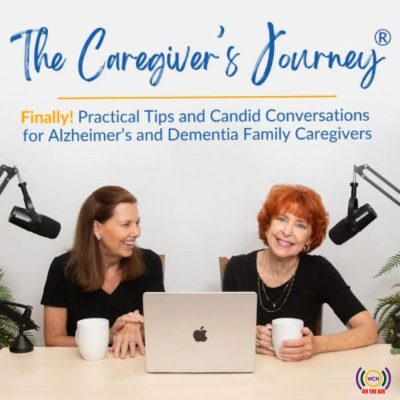
We are Sue Ryan and Nancy Treaster. As caregivers for our loved ones with Alzheimer’s and other types of dementia, we know how hard it can be to find the right help at the right time. We’re sharing insights from Sandy Markwood, CEO of USAging, the national organization that represents Area Agencies on Aging and Title VI Native American Aging Programs. Sandy has been a nationally recognized advocate for older adults for many years. She was a caregiver for her mother, who lived with dementia, so she understands this journey personally as well as professionally.
While AAAs were established in 1973 as part of a reauthorization of the Older Americans Act (OAA), they have been represented by USAging since 1975. The AAA’s work to ensure every American can age with maximum health, well-being, independence and dignity.
Connect with us and share your tips:
- Website: https://thecaregiversjourney.org/
- Donate: https://give.cornerstone.cc/thecaregiversjourney
- Instagram: https://www.instagram.com/thecaregiversjourney/
- Facebook: https://www.facebook.com/thecaregiversjourneys/
- Linkedin: https://www.linkedin.com/in/suearmstrongryan/, https://www.linkedin.com/in/nancytreaster/
- Email: [email protected], [email protected]
Full Show Notes
Additional Resources Mentioned
- Eldercare Locator: Resource center for older adults that can connect them to their local AAA, as well as provide information about a wide variety of topics. https://eldercare.acl.gov/home
- DFA also created a Dementia-Friendly Holiday Toolkit, which is full of tips and ideas for making the holidays friendly and welcoming for your loved ones living with dementia. Download for free at dfamerica.org/holiday-toolkit/.
- Dementia Friendly America, a program administered by USAging, is holding its annual Dementia Friendsgiving on November 10. This is a virtual event that brings people living with dementia and their loved ones together for meaningful connection ahead of the holidays. Register at https://dfamerica.org/friendsgiving/.
- Dementia Friends USA: https://www.dementiafriendsusa.org/
- Dementia Friendly America: https://dfamerica.org
- USAging Consumer microsite: Helping You Live Long and Stay Strong—Caregiver Supports Offered by AAAs: https://www.usaging.org/caregiver-supports-services
- Grandfamilies & Kinship Support Network: https://www.gksnetwork.org/
- USAging’s Home for the Holidays Campaign, which this year is educating the public about assistive technology – tools that can help make older adults more independent and also potentially assist or lighten the load for caregivers. Visit www.usaging.org/h4h2026. (Note this link won’t be live until November 17.)
- Support the nonprofit The Caregiver's Journey: https://give.cornerstone.cc/thecaregiversjourney
- The Caregiver’s Journey Navigating Dementia Caregiving Roadmap: https://roadmap.thecaregiversjourney.org/ Available as an interactive page on our website that walks you through the three stages of your dementia family caregiver journey. Includes the option to download the guide for free.
Takeaways
Tip 1: Learn what the area agency on aging is and what it offers
Tip 2: Know the eligibility requirements
Tip 3: Find your area agency on aging
Read More in This Blog