Zum Inhalt springen

How to Talk About Money Without Ruining Your Relationships - ft. NerdWallet’s Sean Pyles & Elizabeth Ayoola

22.10.2026 · 1 Std. 8 Min.

Shownotes

You don't need to be rich or a finance expert to start building wealth. NerdWallet's Sean Pyles and Elizabeth Ayoola are living proof.

⁠Kwame's episode on NerdWallet’s Smart Money Podcast: https://open.spotify.com/episode/3JsoelBqytmMXRmcA2qtK7?si=-gs3-9uMR2aZ16PNaKX3bg⁠

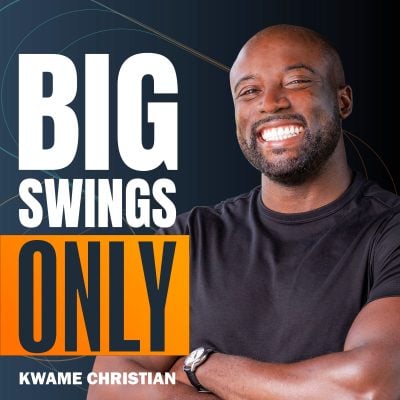
In this episode of Big Swings Only, Kwame Christian sits down with the co-hosts of NerdWallet's Smart Money Podcast. Neither of them started out in finance. They learned it on the job, then used what they learned to transform their own lives. Elizabeth went from $0 saved for retirement as a newly divorced single mom to real financial stability, and Sean went from writing about debt to becoming a Certified Financial Planner. We break down the money myths holding you back, the biggest lie on FinTok right now, how to automate your savings, and the money conversations most people avoid. Plus, a lightning round where Sean and Elizabeth go head-to-head on splitting the bill, pay transparency, and whether buy now, pay later is a tool or a trap.


CONTACT SEAN & ELIZABETH Smart Money runs on your money questions. Send yours in: • Call or text the Nerd Hotline: 901-730-6373 • Email: [email protected] • Leave a comment on the Smart Money Podcast on Spotify or YouTube


Connect with Kwame:

⁠⁠⁠⁠⁠⁠⁠⁠⁠⁠⁠⁠⁠⁠⁠⁠⁠⁠⁠⁠⁠⁠⁠⁠⁠⁠⁠⁠⁠⁠⁠⁠⁠⁠⁠⁠Request A Customized Workshop For Your Company⁠⁠⁠⁠⁠⁠⁠⁠⁠⁠⁠⁠⁠⁠⁠⁠⁠⁠⁠⁠⁠⁠⁠⁠⁠⁠⁠⁠⁠⁠⁠⁠⁠⁠⁠⁠

⁠⁠⁠⁠⁠⁠⁠⁠⁠⁠⁠⁠⁠⁠⁠⁠⁠⁠⁠⁠⁠⁠⁠⁠⁠⁠⁠⁠⁠⁠⁠⁠⁠⁠⁠⁠Follow Kwame Christian on LinkedIn⁠⁠⁠⁠⁠⁠⁠⁠⁠⁠⁠⁠⁠⁠⁠⁠⁠⁠⁠⁠⁠⁠⁠⁠⁠⁠⁠⁠⁠⁠⁠⁠⁠⁠⁠⁠

⁠⁠⁠⁠⁠⁠⁠⁠⁠⁠⁠⁠⁠⁠⁠⁠⁠⁠⁠⁠⁠⁠⁠⁠⁠⁠⁠⁠⁠⁠⁠⁠⁠negotiateanything.com⁠⁠⁠⁠⁠⁠⁠⁠⁠⁠⁠⁠⁠⁠⁠⁠⁠⁠⁠⁠⁠⁠⁠⁠⁠⁠⁠⁠⁠⁠⁠⁠⁠⁠⁠⁠⁠⁠⁠⁠⁠⁠⁠⁠⁠⁠⁠⁠⁠⁠⁠⁠⁠⁠⁠⁠⁠⁠⁠⁠⁠⁠⁠⁠⁠⁠⁠⁠⁠⁠⁠⁠⁠⁠⁠⁠⁠⁠⁠⁠⁠⁠⁠⁠⁠⁠⁠⁠⁠⁠⁠⁠⁠⁠⁠⁠⁠⁠⁠⁠⁠⁠

⁠⁠⁠⁠⁠⁠⁠⁠⁠⁠⁠⁠⁠⁠⁠⁠⁠⁠⁠⁠⁠⁠⁠⁠⁠⁠⁠⁠⁠⁠⁠⁠⁠⁠⁠⁠Click here to buy your copy of Finding Confidence in Conflict: How to Negotiate Anything and Live Your Best Life!⁠⁠⁠⁠⁠⁠⁠⁠⁠

@kwamenegotiates across all social platforms


Alle Folgen von Big Swings Only

Einstellungen

Darstellung

Sprache

Bestimmt, welche Sender dir auf der Startseite zuerst gezeigt werden.

Verlauf

Zuletzt gehörte Sender und Folgen und deine letzten Suchen liegen nur in diesem Browser.

Hinweise

Ein kurzer Hinweis, wenn ein Podcast, dem du folgst, eine neue Folge hat. Einzelne Podcasts stellst du über die Glocke auf ihrer Seite ab.

Konto

Favoriten speichern – in der App und auf der Website.

Tastenkürzel

/
Suche öffnen
Leertaste
Abspielen oder anhalten
← →
Im Player: 15 s zurück, 30 s vor (Folgen) · im Regal: nächste Kachel
↑ ↓
Im Regal: Ziel innerhalb der Kachel
Pos1 / Ende
Im Regal: erste bzw. letzte Kachel
Esc
Fenster oder Menü schließen
?
Diese Übersicht
Läuft gerade

Zur Senderseite

Als Nächstes

    Folgen mit „Als Nächstes“ vormerken – sie laufen nach der aktuellen Folge.