

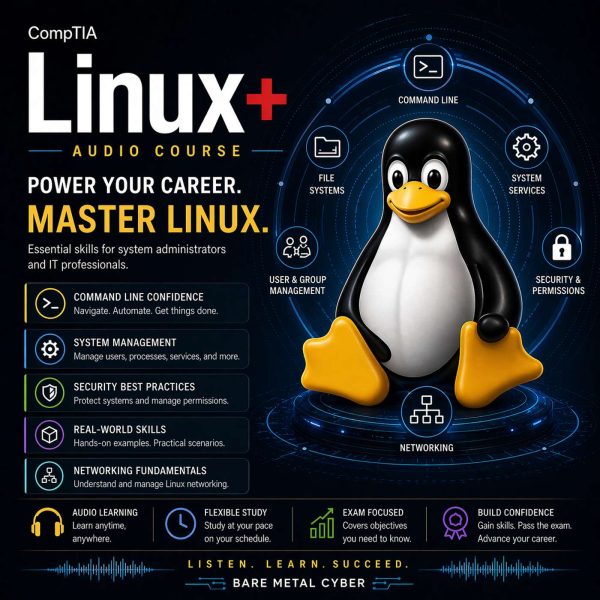
Certified: The CompTIA Linux+ Audio Course
- Episodes
- 106
- Format
- Series – listen from the start
- Latest episode
- Feb 7, 2026
About the podcast
Linux+ for People With Jobs is a practical, audio-first course that teaches you to think and work like a real Linux administrator—without burying you in theory or trivia. You’ll learn the commands, concepts, and workflows the exam expects, but more importantly, you’ll build the habits that keep systems stable in production: verifying assumptions, making safe changes, and troubleshooting with a calm, repeatable process. Every episode is designed to help you study efficiently, retain what matters, and walk into the exam with confidence that actually transfers to the job.
Episodes 106
Welcome to the Linux+ Audio Course
Linux+ for People With Jobs is a practical, audio-first course that teaches you to think and work like a real Linux administrator. You’ll learn the commands, concepts, and workflows the exam expects—plus the …
Show notes
Linux+ for People With Jobs is a practical, audio-first course that teaches you to think and work like a real Linux administrator. You’ll learn the commands, concepts, and workflows the exam expects—plus the habits that keep systems stable in production—so you can study efficiently and build confidence that transfers to the job.
This course is built for busy professionals who want clear explanations without the fluff. Each lesson is focused, hands-on in mindset, and designed to help you recognize what Linux+ is really testing—how you troubleshoot, validate, and choose the safest next step under time pressure.
You’ll move from fundamentals into daily admin skills like users and permissions, storage, networking, services, process control, scripting, and automation. Along the way, you’ll reinforce “how to think” patterns: verify before you change, read the system’s signals, reduce risk, and document repeatable steps.
By the end, you’ll have a solid mental map of the Linux+ objectives and a study rhythm that actually fits real life. Whether you’re leveling up for the exam, your current role, or your next one, you’ll come away with practical competence—not just memorized facts.
Episode 105 — Memory pressure: swapping, OOM, killed processes, memory leaks
Linux+ includes memory pressure because it produces symptoms that mimic application bugs, random crashes, and performance degradation, and administrators must recognize the pattern quickly. This episode …
Show notes
Linux+ includes memory pressure because it produces symptoms that mimic application bugs, random crashes, and performance degradation, and administrators must recognize the pattern quickly. This episode explains swapping as the system’s way of extending memory using disk-backed pages, and why heavy swapping often indicates that the workload exceeds available RAM or that memory is fragmented by competing processes. You’ll learn how the Out-Of-Memory (OOM) mechanism protects system stability by terminating processes when memory cannot be reclaimed, and how exam prompts may describe “killed” processes or sudden service exits as evidence of OOM conditions. We also introduce memory leaks as a behavior pattern where a process’s memory use grows over time without being released, creating gradual degradation that can culminate in swapping storms or OOM events.
we apply memory pressure concepts to troubleshooting and best practices. You’ll practice distinguishing transient spikes from sustained leaks by looking at trends and correlating events with workload changes, not just reading one snapshot metric. We also cover operational decisions: when to restart a leaking service, when to tune limits and resource allocations, and when to investigate deeper root causes like misbehaving dependencies or runaway caching behavior. Finally, you’ll learn exam-aligned safety habits: avoid “fixing” by disabling swap without understanding impact, confirm which process was killed and why, and validate recovery by observing that swap usage and memory pressure stabilize after remediation, so your system returns to predictable performance rather than repeating the same failure cycle. Produced by BareMetalCyber.com, where you’ll find more cyber audio courses, books, and information to strengthen your educational path. Also, if you want to stay up to date with the latest news, visit DailyCyber.News for a newsletter you can use, and a daily podcast you can commute with.
Episode 104 — CPU and load: high CPU, load average, context switching, slow startup
Linux+ tests performance diagnosis because “system is slow” demands you identify which resource is constrained and which metric actually indicates the bottleneck. This episode explains high CPU usage versus …
Show notes
Linux+ tests performance diagnosis because “system is slow” demands you identify which resource is constrained and which metric actually indicates the bottleneck. This episode explains high CPU usage versus high load average as different signals: CPU usage shows active computation, while load reflects runnable and uninterruptible tasks waiting for CPU or I/O. You’ll learn why context switching matters: excessive switching can indicate too many runnable tasks, poor scheduling conditions, or contention that wastes CPU time. We also cover slow startup as a symptom that can be driven by CPU contention, dependency ordering, storage latency, or service retries. The goal is to build a performance reasoning model where you interpret metrics as evidence, not as isolated numbers, and choose next steps that prove the cause quickly.
we apply performance reasoning to exam-style scenarios and practical operational decisions. You’ll practice distinguishing a truly CPU-bound workload from one that is I/O-bound but reported as “high load,” and learning how to spot when many processes compete for CPU in a way that degrades responsiveness even if no single process looks extreme. We also cover best practices: establish baselines, correlate spikes with changes or scheduled jobs, and avoid killing processes blindly when reprioritization or throttling might preserve service health. Finally, you’ll learn exam-aligned troubleshooting: identify the top consumers, check whether tasks are blocked or runnable, validate whether startup delays come from service dependencies or resource constraints, and apply the smallest corrective action that restores stability without masking the underlying performance issue. Produced by BareMetalCyber.com, where you’ll find more cyber audio courses, books, and information to strengthen your educational path. Also, if you want to stay up to date with the latest news, visit DailyCyber.News for a newsletter you can use, and a daily podcast you can commute with.
Episode 103 — Secure connectivity breakage: SSH, certs, repos, ciphers, negotiation issues
Linux+ includes secure connectivity breakage because encrypted connections fail in distinct ways, and administrators must diagnose without weakening security unnecessarily. This episode frames secure …
Show notes
Linux+ includes secure connectivity breakage because encrypted connections fail in distinct ways, and administrators must diagnose without weakening security unnecessarily. This episode frames secure connectivity failures across common channels: SSH access, certificate-based TLS connections, and secure package repository access. You’ll learn how exam questions describe negotiation issues—handshakes failing, host key mismatches, certificate validation errors, or rejected algorithms—and why the correct response usually involves aligning trust and policy rather than “turning off verification.” The focus is on understanding what must be true for secure connectivity: correct time, correct names, correct keys or certificates, and a mutually acceptable set of cryptographic algorithms. When one of those prerequisites breaks, the error messages can look intimidating, but the underlying cause is often straightforward.
we apply troubleshooting patterns and best practices to restore secure connectivity safely. You’ll practice separating pure connectivity issues from cryptographic negotiation issues, because no amount of certificate work fixes a routing problem, and no amount of firewall tweaking fixes an expired certificate. We also cover operational traps: outdated clients that can’t negotiate modern ciphers, strict server policies that reject legacy algorithms, and repository failures that appear as “package manager problems” but are actually trust or TLS issues. Finally, you’ll learn exam-aligned remediation habits: validate time and name resolution, confirm trust anchors and keys, check policy and supported algorithm sets, and document exceptions carefully if you must maintain legacy compatibility, so you preserve security while restoring functionality. Produced by BareMetalCyber.com, where you’ll find more cyber audio courses, books, and information to strengthen your educational path. Also, if you want to stay up to date with the latest news, visit DailyCyber.News for a newsletter you can use, and a daily podcast you can commute with.
Episode 102 — Permission failures: ACLs, attributes, account access, why it used to work
Linux+ tests permission failures because they are common, high-impact, and often misdiagnosed when administrators look only at the final file and ignore the full access path. This episode explains why “it used …
Show notes
Linux+ tests permission failures because they are common, high-impact, and often misdiagnosed when administrators look only at the final file and ignore the full access path. This episode explains why “it used to work” is a powerful clue: something changed in ownership, group membership, ACL entries, or file attributes, or the accessing identity changed in ways you didn’t notice. You’ll learn how ACLs extend beyond basic mode bits, granting or denying access in ways that may not be obvious if you only read rwx permissions. We also introduce file attributes as a separate control layer that can block writes or deletions even when permissions appear permissive. The goal is to make you comfortable tracing access problems through identity, permissions, ACLs, attributes, and path traversal rules.
we apply a structured troubleshooting approach and best practices that prevent recurring access outages. You’ll practice validating the effective identity (including group memberships), confirming directory execute permissions along the path, and checking for ACL entries or attributes that override expectations. We also cover common exam traps: assuming a user’s group membership applies immediately when a new session is required, missing an inherited ACL on a directory, or overlooking that an account is locked or restricted even though file permissions are correct. Finally, you’ll learn operational habits aligned with exam intent: manage access primarily through groups, document special ACL cases, avoid broad permission changes as a shortcut, and validate with the actual user context so your fix restores intended access without expanding it unnecessarily. Produced by BareMetalCyber.com, where you’ll find more cyber audio courses, books, and information to strengthen your educational path. Also, if you want to stay up to date with the latest news, visit DailyCyber.News for a newsletter you can use, and a daily podcast you can commute with.
Episode 101 — SELinux failures: policy vs context vs booleans, how to think, not panic
Linux+ tests SELinux failures because they expose whether you can troubleshoot secure systems without disabling controls. This episode frames SELinux problems in three buckets: policy decisions that …
Show notes
Linux+ tests SELinux failures because they expose whether you can troubleshoot secure systems without disabling controls. This episode frames SELinux problems in three buckets: policy decisions that intentionally restrict actions, context labeling issues where files or processes have the wrong type, and booleans that toggle common allowances without rewriting policy. You’ll learn how the exam expects you to “think, not panic”: if traditional permissions look correct but access is still denied, SELinux is a likely factor, and the right response is to identify the denial cause rather than turning enforcement off. The goal is to help you interpret SELinux-related symptoms as consistent, explainable decisions made by labels and rules, not as unpredictable randomness.
we apply a calm troubleshooting workflow that aligns with PBQs and real operations. You’ll practice confirming whether the denial is truly SELinux-related, then deciding whether the correct fix is restoring the proper context, enabling a targeted boolean, or adjusting the service to use an approved path and port. We also cover common exam traps: making a change that works temporarily but doesn’t persist, or “fixing” by broadly relaxing policy when a narrow adjustment would preserve security. Finally, you’ll learn best practices that keep SELinux manageable: standardize service paths, document intentional deviations, validate after updates that may relabel or change policy behavior, and treat SELinux denials as useful evidence of misalignment between configuration and approved operation. Produced by BareMetalCyber.com, where you’ll find more cyber audio courses, books, and information to strengthen your educational path. Also, if you want to stay up to date with the latest news, visit DailyCyber.News for a newsletter you can use, and a daily podcast you can commute with.
Episode 100 — Link problems: link down, negotiation failures, can’t ping server reasoning
Link-layer problems are on Linux+ because they are the first gate in network troubleshooting, and failures here can masquerade as routing, DNS, or application issues if you skip the basics. This episode …
Show notes
Link-layer problems are on Linux+ because they are the first gate in network troubleshooting, and failures here can masquerade as routing, DNS, or application issues if you skip the basics. This episode explains link down conditions and negotiation failures as issues where the physical or data-link connection is not establishing a stable, expected state. You’ll learn what exam prompts often provide: interface status indicators, error counters, duplex or speed mismatches, and symptoms like intermittent connectivity that tracks with cable or port issues. The core skill is “can’t ping server reasoning” that starts with proving whether the interface is up, whether it has a valid IP configuration, and whether the path to the gateway is healthy before you test remote services.
we apply structured reasoning to link troubleshooting and operational best practices. You’ll practice distinguishing a true link-down state from a link-up state with severe errors, because both can produce “no connectivity” but require different fixes. We also cover common traps: assuming the remote server is down when the local link is unstable, blaming firewall policy when the interface never negotiated correctly, and changing higher-layer settings that cannot matter until the link is healthy. Finally, you’ll learn professional guardrails: verify physical connections and interface state first, collect evidence from counters and logs, coordinate changes with network teams when switch configuration is involved, and validate end-to-end connectivity stepwise so you can explain exactly where the path fails and why. Produced by BareMetalCyber.com, where you’ll find more cyber audio courses, books, and information to strengthen your educational path. Also, if you want to stay up to date with the latest news, visit DailyCyber.News for a newsletter you can use, and a daily podcast you can commute with.
Episode 99 — Interface issues: MTU mismatch, bonding, dual-stack surprises
Linux+ tests interface-level issues because they produce confusing symptoms that look like application failures until you recognize the network layer problem. This episode explains MTU mismatch as a classic …
Show notes
Linux+ tests interface-level issues because they produce confusing symptoms that look like application failures until you recognize the network layer problem. This episode explains MTU mismatch as a classic cause of partial connectivity, where small packets succeed but larger packets fail, leading to timeouts in protocols that require fragmentation behavior. You’ll learn bonding concepts at an exam level: combining interfaces for redundancy or throughput, and how misconfiguration can create flapping links, asymmetric routing, or inconsistent performance. We also introduce dual-stack surprises as the IPv4/IPv6 coexistence issues that can break connectivity when name resolution returns an address family the network path doesn’t support. The goal is to help you treat these as pattern-based problems with identifiable symptoms rather than “random network weirdness.”
we apply troubleshooting and best practices for each interface issue category. You’ll practice diagnosing MTU problems by correlating timeouts with payload size and by validating whether the path supports the expected MTU end-to-end, not just on the local host. We also cover bonding failure patterns: mismatched modes, switch configuration incompatibilities, and monitoring that reports link “up” while the bond is unhealthy, which can mislead operators. Finally, you’ll learn how to handle dual-stack safely: confirm what addresses are being used, validate routing for both families, and prefer explicit configuration when a service must use one family reliably. This builds an exam-ready approach where you isolate link and interface behavior before blaming higher-layer services. Produced by BareMetalCyber.com, where you’ll find more cyber audio courses, books, and information to strengthen your educational path. Also, if you want to stay up to date with the latest news, visit DailyCyber.News for a newsletter you can use, and a daily podcast you can commute with.
Episode 98 — DHCP failures and IP conflicts: symptoms and best-next-step logic
Linux+ includes DHCP failures and IP conflicts because they are common causes of widespread “network is down” reports, and they require disciplined diagnosis. This episode explains DHCP as the mechanism that …
Show notes
Linux+ includes DHCP failures and IP conflicts because they are common causes of widespread “network is down” reports, and they require disciplined diagnosis. This episode explains DHCP as the mechanism that provides IP configuration automatically, and it frames failure symptoms at exam level: clients stuck without a lease, clients with incorrect gateways or DNS, clients that intermittently drop connectivity, and networks where multiple devices claim the same address. You’ll learn why IP conflicts are tricky: they can appear as random connectivity issues, intermittent ARP behavior, or “sometimes it works” application failures. The goal is to help you map each symptom to a likely cause—server reachability, scope exhaustion, misconfigured options, rogue DHCP, or duplicate addressing—so you can choose the best next step rather than changing settings blindly.
we apply a best-next-step logic model that aligns with PBQs. You’ll practice starting with the simplest proof: confirm link, confirm whether the client has a lease, confirm whether it can reach the DHCP server or relay, and confirm whether the assigned configuration matches the expected network. We also cover conflict detection thinking: when behavior is inconsistent across clients, suspect conflicts or rogue configuration sources, and validate by comparing multiple hosts rather than trusting a single machine’s output. Finally, you’ll learn operational best practices: reserve critical addresses, monitor scopes for exhaustion, document network segments and relay paths, and treat DHCP options as a change-controlled configuration because a single wrong gateway or DNS option can break an entire site even when connectivity “looks fine.” Produced by BareMetalCyber.com, where you’ll find more cyber audio courses, books, and information to strengthen your educational path. Also, if you want to stay up to date with the latest news, visit DailyCyber.News for a newsletter you can use, and a daily podcast you can commute with.
Episode 97 — DNS vs routing vs firewall: fast isolation with minimal commands
Linux+ often tests network failures by making multiple causes plausible, then rewarding the candidate who isolates the layer quickly. This episode teaches fast isolation between DNS, routing, and firewall …
Show notes
Linux+ often tests network failures by making multiple causes plausible, then rewarding the candidate who isolates the layer quickly. This episode teaches fast isolation between DNS, routing, and firewall causes using minimal commands and a strict workflow. You’ll learn the exam-critical distinction: DNS problems prevent name-to-IP resolution, routing problems prevent packets from reaching the target network, and firewall problems allow reachability at one layer but block specific ports or flows. The goal is to help you interpret symptoms like “can ping IP but not hostname,” “can resolve but can’t connect,” or “works on one port but not another,” and to choose the next step that proves the cause rather than adding more guesses.
we apply a layered isolation approach that scales from simple hosts to complex services. You’ll practice confirming resolution first when hostnames are involved, then confirming routing to the resolved address, then confirming service-level reachability by testing the specific port and verifying server-side listening and policy. We also cover exam traps: assuming a firewall issue when the service isn’t bound, blaming DNS when the route is missing, and “fixing” by disabling security controls instead of correcting the precise rule or configuration. Finally, you’ll learn best practices aligned with exam intent: keep tests small and reversible, record what you proved at each step, and validate from both client and server perspectives so the final diagnosis is defensible and the remediation doesn’t create new exposure. Produced by BareMetalCyber.com, where you’ll find more cyber audio courses, books, and information to strengthen your educational path. Also, if you want to stay up to date with the latest news, visit DailyCyber.News for a newsletter you can use, and a daily podcast you can commute with.
Episode 96 — System and service failures: systemd unit failures, PATH misconfig, missing drivers
Linux+ tests system and service failures because they represent the intersection of configuration, dependencies, and runtime reality. This episode frames three common categories: systemd unit failures where …
Show notes
Linux+ tests system and service failures because they represent the intersection of configuration, dependencies, and runtime reality. This episode frames three common categories: systemd unit failures where services won’t start or won’t stay running, PATH misconfigurations that cause commands and scripts to fail unpredictably, and missing drivers that prevent hardware-dependent services from functioning. You’ll learn how the exam expects you to reason from symptoms to layer: a unit failure can be a configuration syntax issue, a dependency ordering issue, a permission issue, or a missing file; a PATH issue can be session-specific versus system-wide; and a driver issue can be present-but-not-loaded versus absent for the running kernel. The goal is to build a fast triage approach that narrows the problem to the correct subsystem before you apply changes.
we apply practical troubleshooting patterns that match exam PBQs and real operations. You’ll practice starting with evidence: confirm unit state, check logs for the first error line, and validate whether the service is failing due to missing resources like network, storage mounts, or credentials. We also cover how PATH misconfig shows up in automation—cron jobs and systemd services often run with minimal environments—so a service can fail because a binary can’t be found even though it runs fine interactively. Finally, you’ll learn safe remediation: make one change, reload definitions if units were edited, restart deliberately, and validate not just “it started” but “it remains healthy,” while treating missing drivers as a compatibility problem that must be solved at the kernel/module layer rather than patched with repeated restarts. Produced by BareMetalCyber.com, where you’ll find more cyber audio courses, books, and information to strengthen your educational path. Also, if you want to stay up to date with the latest news, visit DailyCyber.News for a newsletter you can use, and a daily podcast you can commute with.
Episode 95 — Package and dependency breakage: what fails, what to check first
Linux+ includes package and dependency breakage because software management is a common source of outages, and administrators must troubleshoot quickly without turning a partial break into a full one. This …
Show notes
Linux+ includes package and dependency breakage because software management is a common source of outages, and administrators must troubleshoot quickly without turning a partial break into a full one. This episode explains what “breakage” looks like at exam level: installs failing due to unresolved dependencies, upgrades failing due to conflicts, applications failing to start due to missing libraries, or systems behaving inconsistently because multiple versions are present. You’ll learn the first-response checks the exam expects: confirm repository health and trust, confirm package versions, identify what changed recently, and determine whether the failure is in the package manager’s transaction or in runtime resolution. The focus is on minimizing scope: understand what is broken, what is still stable, and what actions are safe to take in a production-like scenario.
we apply troubleshooting patterns and best practices that reduce risk. You’ll practice separating metadata problems (repo unreachable, signatures, stale caches) from true dependency graph problems, and separating those from runtime issues like missing shared libraries or wrong PATH precedence. We also cover common exam traps: mixing package families, using manual source installs that shadow packaged binaries, and removing a “small” library that turns out to be a shared dependency for critical services. Finally, you’ll learn safe rollback thinking: prefer reverting a single update over broad removals, validate service health after fixes, and document package state so you can explain and reproduce the resolution, which is exactly how Linux+ assesses professional operational judgment. Produced by BareMetalCyber.com, where you’ll find more cyber audio courses, books, and information to strengthen your educational path. Also, if you want to stay up to date with the latest news, visit DailyCyber.News for a newsletter you can use, and a daily podcast you can commute with.
Episode 94 — Mount and write failures: won’t mount, read-only, partition not writable
Linux+ tests mount and write failures because they are common operational incidents and they require you to distinguish between device issues, filesystem issues, and permission or policy issues. This episode …
Show notes
Linux+ tests mount and write failures because they are common operational incidents and they require you to distinguish between device issues, filesystem issues, and permission or policy issues. This episode explains three key symptoms: a filesystem that won’t mount at all, a filesystem that mounts but becomes read-only, and a partition that appears present but cannot be written despite correct ownership expectations. You’ll learn why the exam emphasizes careful interpretation: “read-only” can be a deliberate mount option, a safety remount due to detected errors, or the result of storage instability causing the kernel to protect data integrity. The goal is to help you map each symptom to the most likely layer—block device health, filesystem consistency, mount configuration, or access controls—so you choose a correct first response rather than guessing.
we apply a structured troubleshooting approach that avoids making the problem worse. You’ll practice confirming whether the device is detected and stable, whether the filesystem type matches what you expect, and whether mount options or fstab entries are enforcing read-only behavior. We also cover real-world patterns: filesystems remounting read-only after errors, permissions appearing correct but writes failing due to attributes or SELinux policy, and mounts failing at boot due to missing dependencies or incorrect identifiers. Finally, you’ll learn best practices aligned with exam intent: collect evidence from logs, prefer non-destructive checks first, repair cautiously with a rollback plan, and validate persistence across reboot so the system doesn’t return to the same failure state the next time it restarts. Produced by BareMetalCyber.com, where you’ll find more cyber audio courses, books, and information to strengthen your educational path. Also, if you want to stay up to date with the latest news, visit DailyCyber.News for a newsletter you can use, and a daily podcast you can commute with.
Episode 93 — Disk full puzzles: filesystem full vs inode exhaustion vs runaway logs
Linux+ frequently uses “disk full” as a puzzle because the same error message can come from different constraints, and the correct fix depends on which constraint is actually exhausted. This episode clarifies …
Show notes
Linux+ frequently uses “disk full” as a puzzle because the same error message can come from different constraints, and the correct fix depends on which constraint is actually exhausted. This episode clarifies three common causes: true filesystem capacity exhaustion, inode exhaustion caused by too many files, and runaway logs that consume space rapidly in high-churn paths. You’ll learn how exam questions hide the real cause in small clues like “many tiny files,” “log directory growing,” or “deleted files didn’t free space,” and why a professional response starts with confirming what is full and where. The objective is to make you faster at distinguishing symptoms, so you don’t waste time resizing storage when cleanup is enough, or deleting logs when the inode table is the real limit.
we apply a practical mental checklist for solving disk full puzzles. You’ll practice verifying capacity and inode usage separately, then identifying the top-consuming directories and files, and checking whether open file handles are retaining deleted space. We also cover operational best practices: implement retention and rotation, isolate high-churn directories onto separate filesystems, and monitor growth rates so you detect patterns before they become outages. Finally, you’ll learn how the exam expects you to troubleshoot safely: avoid deleting blindly, prefer targeted cleanup with evidence, and validate that the system returns to stable behavior after remediation, including confirming that log growth or file churn won’t refill the disk within hours. Produced by BareMetalCyber.com, where you’ll find more cyber audio courses, books, and information to strengthen your educational path. Also, if you want to stay up to date with the latest news, visit DailyCyber.News for a newsletter you can use, and a daily podcast you can commute with.
Episode 92 — Corruption and weird crashes: kernel or data corruption, segmentation faults
Linux+ includes corruption and crash symptoms because administrators must recognize when behavior indicates deeper integrity problems rather than simple misconfiguration. This episode explains kernel-level …
Show notes
Linux+ includes corruption and crash symptoms because administrators must recognize when behavior indicates deeper integrity problems rather than simple misconfiguration. This episode explains kernel-level corruption concerns versus data-level corruption concerns, and it introduces segmentation faults as a common sign that a process accessed invalid memory due to bugs, bad libraries, or sometimes underlying memory or storage issues. You’ll learn how the exam frames “weird crashes”: intermittent failures, inconsistent errors, and applications that crash under specific loads, which tests whether you can separate application logic faults from environmental instability. The focus is on building a hypothesis-driven approach: decide whether the symptom points to code, configuration, dependencies, hardware, or filesystem integrity, and then choose verification steps that narrow scope quickly.
we apply this approach to troubleshooting patterns that are exam-relevant and operationally safe. You’ll practice checking whether crashes correlate with updates, new libraries, or configuration changes, which often indicates dependency mismatch rather than random failure. We also cover how underlying corruption can masquerade as “software bugs,” such as storage errors causing corrupted binaries or configuration files, or memory issues causing unpredictable segfaults across unrelated processes. Finally, you’ll learn best practices aligned with exam intent: prioritize evidence collection, validate integrity of critical files and packages, review logs for hardware and I/O errors, and treat recurring segmentation faults as a signal to examine both software and platform health rather than repeatedly restarting services and hoping for stability. Produced by BareMetalCyber.com, where you’ll find more cyber audio courses, books, and information to strengthen your educational path. Also, if you want to stay up to date with the latest news, visit DailyCyber.News for a newsletter you can use, and a daily podcast you can commute with.
Episode 91 — Boot failures: GRUB misconfig, kernel panic, and first-response triage
Linux+ treats boot failures as a high-value troubleshooting domain because the system is unusable until you can identify the failing stage and choose a safe recovery action. This episode frames boot failures as …
Show notes
Linux+ treats boot failures as a high-value troubleshooting domain because the system is unusable until you can identify the failing stage and choose a safe recovery action. This episode frames boot failures as three common categories: GRUB or bootloader misconfiguration that prevents the kernel from loading correctly, kernel panic conditions that indicate a low-level failure during initialization, and post-kernel issues where userspace cannot mount root or start critical services. You’ll learn how the exam expects “first-response triage” thinking: identify the last known good stage, capture the most informative error line, and avoid making destructive changes while you’re still uncertain. The goal is to help you read boot-time messages as evidence that points to a stage—bootloader, kernel, initramfs, or userspace—so you can select the next best step logically.
we apply triage to common exam-style scenarios and recovery patterns. You’ll practice distinguishing GRUB entry errors from wrong root identifiers, and distinguishing a true kernel panic from a userspace emergency shell, because each implies different fixes and different risk. We also cover professional recovery habits: try a known-good kernel entry before editing configs, make one change at a time, and keep a rollback path so you don’t convert a recoverable misconfig into a prolonged outage. Finally, you’ll learn to document your evidence and actions in a way that supports follow-up remediation—root-cause the change that triggered the failure, validate boot persistence, and ensure the fix survives reboot—because Linux+ tests not only recovery but also operational discipline. Produced by BareMetalCyber.com, where you’ll find more cyber audio courses, books, and information to strengthen your educational path. Also, if you want to stay up to date with the latest news, visit DailyCyber.News for a newsletter you can use, and a daily podcast you can commute with.
Episode 90 — Alerting design: thresholds, events, notifications, logging, aggregation patterns
Linux+ tests alerting design because good operations is not “more alerts,” it is the right alerts that drive the right actions at the right time. This episode explains thresholds and events as two different …
Show notes
Linux+ tests alerting design because good operations is not “more alerts,” it is the right alerts that drive the right actions at the right time. This episode explains thresholds and events as two different alert triggers: thresholds fire when a metric crosses a limit, while events represent discrete occurrences like a service crash or a failed login spike. You’ll learn why notifications matter: alert delivery must match urgency and responsibility, or alerts become noise that teams ignore. The exam often tests whether you can design alerting that is actionable, meaning it includes enough context, targets the correct responders, and reflects real service health rather than isolated metric spikes. The key outcome is learning to connect alerting to defined objectives and operational workflows.
we apply alerting design to practical patterns and failure prevention. You’ll practice using aggregation to reduce noise, such as grouping repeated events, suppressing duplicates, and correlating related symptoms so teams see a single incident instead of a thousand messages. We also cover logging integration: alerts should point to evidence sources, and logs should be structured and retained so investigations can confirm causes quickly. Finally, you’ll learn best practices aligned with exam intent: set thresholds based on baselines and objectives, tune alerts over time, route notifications appropriately, and test alert paths like any other critical system so an outage doesn’t reveal that your monitoring was only “working” in theory. Produced by BareMetalCyber.com, where you’ll find more cyber audio courses, books, and information to strengthen your educational path. Also, if you want to stay up to date with the latest news, visit DailyCyber.News for a newsletter you can use, and a daily podcast you can commute with.
Episode 89 — Data collection concepts: SNMP, traps, MIBs, agent vs agentless
Linux+ includes monitoring data collection because the value of monitoring depends on how metrics and events are gathered and how reliable that gathering is. This episode introduces SNMP as a protocol for …
Show notes
Linux+ includes monitoring data collection because the value of monitoring depends on how metrics and events are gathered and how reliable that gathering is. This episode introduces SNMP as a protocol for querying device and system metrics, traps as event-driven notifications sent from monitored systems, and MIBs as the structured definitions that describe what metrics exist and how to interpret them. You’ll learn why the exam emphasizes agent versus agentless collection: agent-based approaches can provide richer local visibility but add management overhead, while agentless approaches reduce footprint but rely heavily on network access and standard interfaces. The goal is to help you interpret exam scenarios where monitoring “misses” data, where traps flood a system, or where metrics are misread due to wrong MIB interpretation.
we apply data collection concepts to troubleshooting and best practices. You’ll practice diagnosing gaps by checking reachability, credentials, polling intervals, and whether the target actually exposes the expected MIB objects. We also cover common operational traps: aggressive polling that creates load, traps that overwhelm logging pipelines, and inconsistent naming or indexing that causes dashboards to lie. Finally, you’ll learn exam-aligned habits: standardize data collection methods, document what each metric means, validate critical signals with a second source when possible, and design collection so it supports alerting and investigation without becoming its own reliability problem. Produced by BareMetalCyber.com, where you’ll find more cyber audio courses, books, and information to strengthen your educational path. Also, if you want to stay up to date with the latest news, visit DailyCyber.News for a newsletter you can use, and a daily podcast you can commute with.
Episode 88 — Monitoring language: SLA vs SLI vs SLO and what healthy means
Linux+ includes monitoring concepts because administrators must describe and measure health in a way that supports decisions, not just collects metrics. This episode defines SLA, SLI, and SLO in practical …
Show notes
Linux+ includes monitoring concepts because administrators must describe and measure health in a way that supports decisions, not just collects metrics. This episode defines SLA, SLI, and SLO in practical terms: an SLA is an external commitment, an SLI is a measurable indicator of performance or reliability, and an SLO is the internal target that guides engineering choices. You’ll learn why the exam cares about this vocabulary: it tests whether you can connect technical measurements to service expectations and business impact. Understanding these terms helps you interpret scenarios where “system is up” but users are still unhappy, because availability alone is not health if latency, errors, or throughput violate your objectives.
we apply monitoring language to operational practice and troubleshooting. You’ll practice choosing meaningful indicators, such as error rates and response times, rather than relying solely on host-level metrics that may not reflect user experience. We also cover how SLIs and SLOs shape alerting: alerts should trigger when objectives are at risk, not whenever a single metric spikes briefly. Finally, you’ll learn best practices aligned with exam intent: establish baselines, define what “healthy” means for each service, and use monitoring outcomes to prioritize work—capacity changes, performance tuning, or incident response—so monitoring becomes a decision system rather than an instrument panel you glance at after something breaks. Produced by BareMetalCyber.com, where you’ll find more cyber audio courses, books, and information to strengthen your educational path. Also, if you want to stay up to date with the latest news, visit DailyCyber.News for a newsletter you can use, and a daily podcast you can commute with.
Episode 87 — AI best practices for ops: safe use cases, verification, governance, prompt habits
Linux+ touches AI best practices because operators increasingly use AI to accelerate troubleshooting and documentation, and the exam’s security mindset applies to how you use tools, not just what you deploy …
Show notes
Linux+ touches AI best practices because operators increasingly use AI to accelerate troubleshooting and documentation, and the exam’s security mindset applies to how you use tools, not just what you deploy. This episode frames safe AI use cases in operations: summarizing logs, generating command hypotheses, drafting scripts for review, and explaining concepts for training, while emphasizing that AI output is advisory, not authoritative. You’ll learn why verification matters: AI can produce plausible but incorrect commands, and a professional operator must validate syntax, intent, and impact before execution. We also introduce governance thinking at an exam level: using AI responsibly includes protecting sensitive data, limiting what you paste into external systems, and ensuring decisions remain accountable and auditable.
we translate these principles into practical prompt habits and operational guardrails. You’ll practice writing prompts that include constraints (distribution family, system role, risk tolerance), ask for reversible steps first, and demand explicit assumptions so you can check them. We also cover verification workflows: test in a safe environment when possible, prefer read-only inspection before changes, and confirm outcomes with multiple signals like logs, status, and client tests. Finally, you’ll learn how to integrate AI into a mature ops process: treat AI suggestions like peer input, document what you did and why, and keep final responsibility with the operator so AI improves speed without weakening security, reliability, or accountability. Produced by BareMetalCyber.com, where you’ll find more cyber audio courses, books, and information to strengthen your educational path. Also, if you want to stay up to date with the latest news, visit DailyCyber.News for a newsletter you can use, and a daily podcast you can commute with.
Episode 86 — Recovery skills: reset vs stash, tags, safe undo thinking
Linux+ includes Git recovery skills because real operations involves mistakes, urgent reversals, and the need to return to a known-good state without making the situation worse. This episode explains reset …
Show notes
Linux+ includes Git recovery skills because real operations involves mistakes, urgent reversals, and the need to return to a known-good state without making the situation worse. This episode explains reset versus stash as two different recovery tools: reset changes where your branch points and can rewrite local history, while stash temporarily saves uncommitted changes so you can switch context cleanly. You’ll learn why tags matter as lightweight anchors to known-good versions, especially when you need to reference or return to a specific release or configuration baseline. The exam often tests whether you understand “undo” as a spectrum—uncommitted changes, staged changes, committed changes, and pushed changes—and whether you choose an action that matches the scope and risk of the situation.
we apply safe undo thinking to practical scenarios. You’ll practice deciding how to recover when you edited the wrong file, staged the wrong changes, or need to hotfix production while preserving work in progress. We also cover common pitfalls: using destructive resets on shared history, stashing without documenting what you stashed, and losing track of which commit represents the deployed baseline. Finally, you’ll learn best practices aligned with exam intent: treat rollback as a controlled change, use tags or documented commit references for releases, verify your working tree state before and after recovery actions, and test the restored configuration so “undo” restores functionality, not just a comforting Git status output. Produced by BareMetalCyber.com, where you’ll find more cyber audio courses, books, and information to strengthen your educational path. Also, if you want to stay up to date with the latest news, visit DailyCyber.News for a newsletter you can use, and a daily podcast you can commute with.
Episode 85 — Branching and merging: merge vs rebase, squash, conflict mindset
Branching and merging are tested on Linux+ because teams depend on controlled integration, and administrators must understand how history is shaped and how conflicts are resolved safely. This episode explains …
Show notes
Branching and merging are tested on Linux+ because teams depend on controlled integration, and administrators must understand how history is shaped and how conflicts are resolved safely. This episode explains merge as preserving branch history while integrating changes, and rebase as rewriting commit history to create a linear story, often used to keep changes clean before integration. You’ll learn why squash matters: combining multiple small commits into one can simplify review and rollback, but it also changes how granular your history is for auditing. The exam focus is on intent: when the requirement is collaborative work and traceability, merge patterns may be preferred, while rebase and squash can improve clarity when used deliberately. Understanding these differences helps you interpret questions about clean history, shared branches, and avoiding disruption to teammates.
we build a conflict mindset that applies to both exam PBQs and real operations. You’ll practice treating conflicts as evidence of overlapping changes, not as a panic event, and learning to identify which version is correct based on system intent rather than on who edited last. We also cover common failure patterns: rebasing shared branches and disrupting teammates, resolving conflicts without testing, or squashing away valuable context needed for troubleshooting. Finally, you’ll learn best practices aligned with exam intent: keep branches scoped to one change, pull and integrate frequently to reduce conflicts, review diffs before finalizing merges, and validate outcomes after conflict resolution so your integrated configuration actually works in the target environment. Produced by BareMetalCyber.com, where you’ll find more cyber audio courses, books, and information to strengthen your educational path. Also, if you want to stay up to date with the latest news, visit DailyCyber.News for a newsletter you can use, and a daily podcast you can commute with.
Episode 84 — Daily Git workflow: init, clone, add, commit, log, diff, config, gitignore
Linux+ tests Git because modern operations relies on version-controlled configuration and code, and administrators must understand how changes are recorded and reviewed. This episode explains the daily Git …
Show notes
Linux+ tests Git because modern operations relies on version-controlled configuration and code, and administrators must understand how changes are recorded and reviewed. This episode explains the daily Git workflow as a repeatable sequence: initialize or clone a repository, stage changes intentionally, commit with clear messages, and use log and diff to understand history and review what changed. You’ll learn why config and gitignore matter for exam scenarios: configuration affects identity and default behaviors, while gitignore prevents noisy or sensitive files from polluting commits and creating risk. The goal is to make you comfortable reading Git-related questions that describe team workflows, change tracking, and rollback needs, and to recognize Git as an operational control, not just a developer habit.
we apply Git workflow thinking to real-world troubleshooting and best practices. You’ll practice diagnosing common problems: changes not appearing because they were never staged, accidental commits of generated files, confusing history because commits lack intent, or difficulty auditing because diffs were not reviewed before merging. We also cover safe habits aligned with exam intent: commit small, related changes; use diff before committing; and rely on log to confirm what is deployed or intended in a GitOps-style workflow. Finally, you’ll learn to treat Git as evidence: when an environment changes unexpectedly, Git history can show whether the change was authorized, when it was introduced, and how to revert safely, which makes it directly relevant to operational resilience and security accountability. Produced by BareMetalCyber.com, where you’ll find more cyber audio courses, books, and information to strengthen your educational path. Also, if you want to stay up to date with the latest news, visit DailyCyber.News for a newsletter you can use, and a daily podcast you can commute with.
Episode 83 — Python for admins: venvs, dependencies, modules, data types, PEP 8 awareness
Linux+ includes Python for admins because many operational tasks benefit from structured scripting, dependency management, and working with data beyond simple text streams. This episode introduces Python …
Show notes
Linux+ includes Python for admins because many operational tasks benefit from structured scripting, dependency management, and working with data beyond simple text streams. This episode introduces Python administration basics in exam terms: virtual environments (venvs) isolate dependencies so scripts behave consistently across systems, modules organize reusable code, and dependencies must be managed deliberately to avoid “works on my machine” failures. You’ll learn the purpose of core data types as tools for expressing intent—strings, lists, dictionaries, and sets—because exam questions often describe tasks like parsing output, mapping names to values, or deduplicating items. We also mention PEP 8 awareness as an indicator of maintainability: readable code reduces operational risk when scripts are shared, reviewed, and modified under time pressure.
we apply Python concepts to troubleshooting and best practices in real admin contexts. You’ll practice identifying why a script fails on one host due to missing modules, wrong interpreter selection, or conflicting system-wide dependencies, and how venv usage prevents that class of problem. We also cover operational guardrails: pin versions for critical scripts, separate configuration from code, and handle errors explicitly so automation fails predictably rather than producing partial results. Finally, you’ll learn how to translate exam scenarios into Python decisions: choose the right data structure for the job, keep scripts small and focused, and validate inputs and outputs so your code can be trusted during maintenance windows and incident response, not just during development. Produced by BareMetalCyber.com, where you’ll find more cyber audio courses, books, and information to strengthen your educational path. Also, if you want to stay up to date with the latest news, visit DailyCyber.News for a newsletter you can use, and a daily podcast you can commute with.
Episode 82 — Return codes and arguments: $?, positional params, error handling patterns
Linux+ expects you to treat commands as components with success and failure outcomes that must be handled deliberately. This episode explains return codes as the machine-readable outcome of a command, captured …
Show notes
Linux+ expects you to treat commands as components with success and failure outcomes that must be handled deliberately. This episode explains return codes as the machine-readable outcome of a command, captured in $?, and it connects that to scripting decisions: continue, retry, log, or stop based on whether a step succeeded. You’ll learn positional parameters as the standard way scripts accept input, and why disciplined argument handling matters for both correctness and security. Exam questions often present scripts that “work sometimes” or silently fail, and the underlying issue is usually missing validation, improper use of parameters, or ignoring exit codes. The goal is to help you reason about scripts as controlled workflows rather than linear command lists.
we apply return code and argument concepts to robust error handling patterns. You’ll practice distinguishing between recoverable failures (transient network errors, missing optional files) and non-recoverable failures (wrong target path, permission denials on critical operations), and choosing an appropriate response for each. We also cover common exam traps: checking $?, then running another command that overwrites it, assuming a pipeline succeeded because the last command did, or failing to quote parameters so inputs are split or globbed unexpectedly. Finally, you’ll learn best practices aligned with exam intent: validate required arguments, provide clear usage messages, fail fast on critical errors, and log meaningful context so when a script runs unattended, the evidence needed for troubleshooting is already captured. Produced by BareMetalCyber.com, where you’ll find more cyber audio courses, books, and information to strengthen your educational path. Also, if you want to stay up to date with the latest news, visit DailyCyber.News for a newsletter you can use, and a daily podcast you can commute with.
Episode 81 — Functions and IFS/OFS: why scripts break on spaces and how to avoid it
Linux+ tests scripting reliability, and functions plus field separators are where many real-world scripts fail in subtle ways. This episode explains functions as reusable blocks that reduce duplication, improve …
Show notes
Linux+ tests scripting reliability, and functions plus field separators are where many real-world scripts fail in subtle ways. This episode explains functions as reusable blocks that reduce duplication, improve readability, and make error handling more consistent, especially when scripts grow beyond a few lines. You’ll learn why IFS (Internal Field Separator) matters: it controls how the shell splits text into words, which directly affects loops, read operations, and parsing of command output. OFS is often discussed alongside IFS in text processing contexts as the output field separator concept, shaping how transformed data is reassembled. The exam-relevant takeaway is that scripts break on spaces when you rely on default splitting, and that understanding separators is the difference between a script that works in a lab and one that survives real filenames and real inputs.
we apply functions and separator thinking to safe scripting patterns. You’ll practice designing functions that accept arguments explicitly rather than reading global variables implicitly, so behavior is predictable and testable. We also cover how to handle input safely: prefer reading lines in a way that preserves whitespace, avoid “for file in $(command)” patterns that split unpredictably, and treat delimiter changes as temporary and tightly scoped so you don’t accidentally affect unrelated parts of the script. Finally, you’ll learn operational best practices aligned with exam intent: validate inputs, quote variables consistently, and test scripts with edge cases like spaces, tabs, and empty values so you can demonstrate reliability thinking, not just syntactic familiarity. Produced by BareMetalCyber.com, where you’ll find more cyber audio courses, books, and information to strengthen your educational path. Also, if you want to stay up to date with the latest news, visit DailyCyber.News for a newsletter you can use, and a daily podcast you can commute with.
Episode 80 — Loops: for, while, until with real admin-style use cases
Loops are a Linux+ staple because they represent scalable administration: you apply a consistent operation to many files, users, hosts, or checks without manual repetition. This episode explains for, while, and …
Show notes
Loops are a Linux+ staple because they represent scalable administration: you apply a consistent operation to many files, users, hosts, or checks without manual repetition. This episode explains for, while, and until as different loop types selected by intent: for iterates over a set of values, while repeats as long as a condition remains true, and until repeats until a condition becomes true, which is common in retry logic. You’ll learn why the exam cares about loop correctness: a loop can amplify a mistake into widespread damage if quoting, splitting, or target selection is wrong. The focus is on building intuition for what the loop is actually iterating over and how variables are expanded at each iteration, so you can reason about loops presented in PBQs and short code snippets.
we apply loops to admin-style scenarios and failure prevention. You’ll practice patterns like iterating over files safely without parsing command output, reading lines from input reliably, and implementing retries with backoff without creating infinite loops. We also cover common break points: mishandling spaces and special characters, failing to reset variables, and using broad globs that match more than intended. Finally, you’ll learn best practices aligned with exam intent: keep loop bodies small and predictable, validate the list of targets before acting, add safeguards like counters and timeouts for retry loops, and test with a limited scope first so automation remains a force multiplier for reliability rather than a force multiplier for outages. Produced by BareMetalCyber.com, where you’ll find more cyber audio courses, books, and information to strengthen your educational path. Also, if you want to stay up to date with the latest news, visit DailyCyber.News for a newsletter you can use, and a daily podcast you can commute with.
Episode 79 — Conditionals: if, case, string vs numeric comparisons, common test flags
Linux+ tests conditionals because automation depends on making correct decisions with correct comparisons, and the exam often uses subtle differences to see if you understand what is being evaluated. This …
Show notes
Linux+ tests conditionals because automation depends on making correct decisions with correct comparisons, and the exam often uses subtle differences to see if you understand what is being evaluated. This episode explains if and case as two ways to branch logic: if evaluates conditions and runs blocks based on true or false, while case matches patterns and is often safer for discrete values and known options. You’ll learn the difference between string and numeric comparisons and why mixing them creates bugs that may not fail loudly. We also cover common test flags in a conceptual way—checks for file existence and type, permissions, and empty or non-empty strings—because exam questions frequently ask you to select the correct test for a situation rather than to memorize every bracket variation.
we apply conditional thinking to practical scripting and troubleshooting. You’ll practice diagnosing scripts that misbehave because variables are unquoted, because numeric comparisons are performed as strings, or because a conditional expects a file but the path resolves to a directory or symlink. We also cover best practices aligned with exam intent: validate inputs early, handle unexpected values explicitly, and structure conditionals so the “happy path” is clear while errors fail safely. Finally, you’ll learn how to read conditionals like the shell does: identify the test expression, confirm what is being compared, predict the outcome, and ensure that the script’s branches align with operational goals, not just with syntactic correctness. Produced by BareMetalCyber.com, where you’ll find more cyber audio courses, books, and information to strengthen your educational path. Also, if you want to stay up to date with the latest news, visit DailyCyber.News for a newsletter you can use, and a daily podcast you can commute with.
Episode 78 — Expansion and substitution: variables, quoting, subshells, command substitution
Expansion rules are high-yield on Linux+ because many scripting and command-line failures come from misunderstanding how the shell transforms text before a command runs. This episode explains variable …
Show notes
Expansion rules are high-yield on Linux+ because many scripting and command-line failures come from misunderstanding how the shell transforms text before a command runs. This episode explains variable expansion, command substitution, and subshell behavior in plain operational terms: the shell expands variables and substitutions first, then performs splitting and globbing unless you control it with quoting. You’ll learn why quoting is central to exam success, because it determines whether a path with spaces is treated as one argument or many, and whether wildcards expand unexpectedly. We also introduce subshells as a scope boundary: changes to variables or working directory inside a subshell do not affect the parent shell, which can make a script “look right” but produce wrong results.
we apply expansion concepts to troubleshooting and safe scripting patterns. You’ll practice identifying why a loop breaks when filenames contain spaces, why a command substitution produces newlines that become multiple arguments, and why unquoted variables can accidentally delete or overwrite the wrong data. We also cover best practices that align with exam intent: quote variables unless you explicitly need splitting, prefer explicit delimiters, and treat command substitution as a controlled input source that must be validated. Finally, you’ll learn to reason about shell behavior step-by-step: predict what expands, what splits, and what reaches the command as arguments, so you can debug by inspection and fix root causes rather than patching symptoms with trial-and-error edits. Produced by BareMetalCyber.com, where you’ll find more cyber audio courses, books, and information to strengthen your educational path. Also, if you want to stay up to date with the latest news, visit DailyCyber.News for a newsletter you can use, and a daily podcast you can commute with.
Episode 77 — Bash script structure: shebang, execution, safety defaults, readability
Linux+ tests Bash scripting because automation is a core Linux skill, and the exam expects you to write or reason about scripts that behave predictably. This episode explains script structure starting with the …
Show notes
Linux+ tests Bash scripting because automation is a core Linux skill, and the exam expects you to write or reason about scripts that behave predictably. This episode explains script structure starting with the shebang, which defines how the script is interpreted, and moving to execution mechanics like permissions, invocation patterns, and the difference between running a script and sourcing it. You’ll learn why safety defaults matter: scripts should fail clearly, avoid unintended globbing and word splitting, and handle errors consistently so automation does not silently do the wrong thing. The focus is on building a mental checklist for exam questions that present short scripts and ask what they do, why they fail, or how to fix them without rewriting everything.
we apply script structure to best practices that improve reliability in production-like scenarios. You’ll practice recognizing brittle patterns like unquoted variables, implicit reliance on the current working directory, and using commands that behave differently across environments without controlling the context. We also cover readability as an operational requirement: clear naming, small functions, and consistent formatting reduce mistakes during incidents and handoffs, which aligns with exam expectations around maintainable automation. Finally, you’ll learn how to troubleshoot scripts methodically: confirm interpreter, confirm input assumptions, validate environment variables and PATH, and test incrementally, so you can isolate a failure quickly and fix it in a way that remains safe when the script runs unattended. Produced by BareMetalCyber.com, where you’ll find more cyber audio courses, books, and information to strengthen your educational path. Also, if you want to stay up to date with the latest news, visit DailyCyber.News for a newsletter you can use, and a daily podcast you can commute with.
These are the latest 60 of 106 episodes. You’ll find older episodes in the podcast’s feed.
Recommended by Certified: The CompTIA Linux+ Audio Course

Similar podcasts
More Education podcasts







Is this your podcast?
Confirm it with an entry in your feed: you get a code here, add it as podcast:txt to the channel of your feed, and we check it. Your podcast is then shown as “verified” on SoundNode.