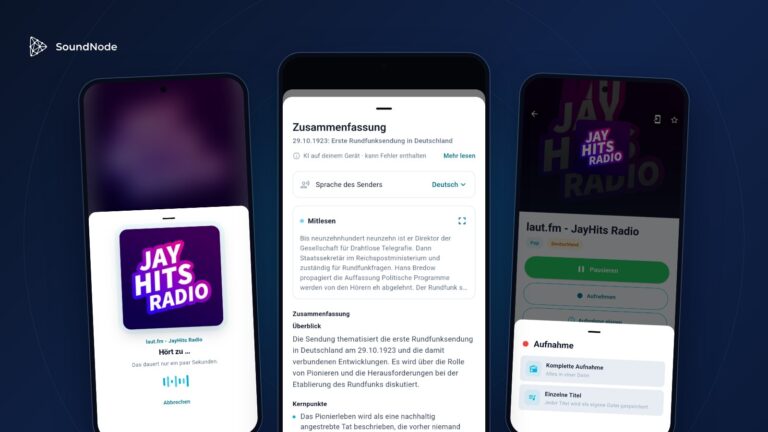
Many people still listen to the radio in the car through the built-in antenna. Yet the dashboard screen already offers an alternative: Android Auto. With the SoundNode app, you can listen to stations from around the world and to podcasts there, with no frequency searching and no new device needed. Here you can read what current studies say about listening in the car, what SoundNode looks like in Android Auto, and where FM still has the edge.
The figures: radio stays, but the way it reaches you changes
The most current source for Germany is the Online-Audio-Monitor 2026, a representative survey of 5,206 people aged 14 and over from spring 2026, commissioned by media authorities and industry associations. It devotes its own chapter to the car.
29.9 million
listen to online audio in the car
17.8 million
listen to web radio in the car
2.8 million
listen to radio in the car, mostly via Android Auto
250 million
Cars worldwide are compatible with Android Auto
This is how to read the figures: The first three apply to Germany and only to people who listen to online audio in the car, not to all drivers. This group makes up 42.1 percent of the population aged 14 and over. In 2025 it was 44.8 percent, in 2024 it was 41.0 percent. Google’s figure of “more than 250 million” counts compatible cars worldwide, not active users.
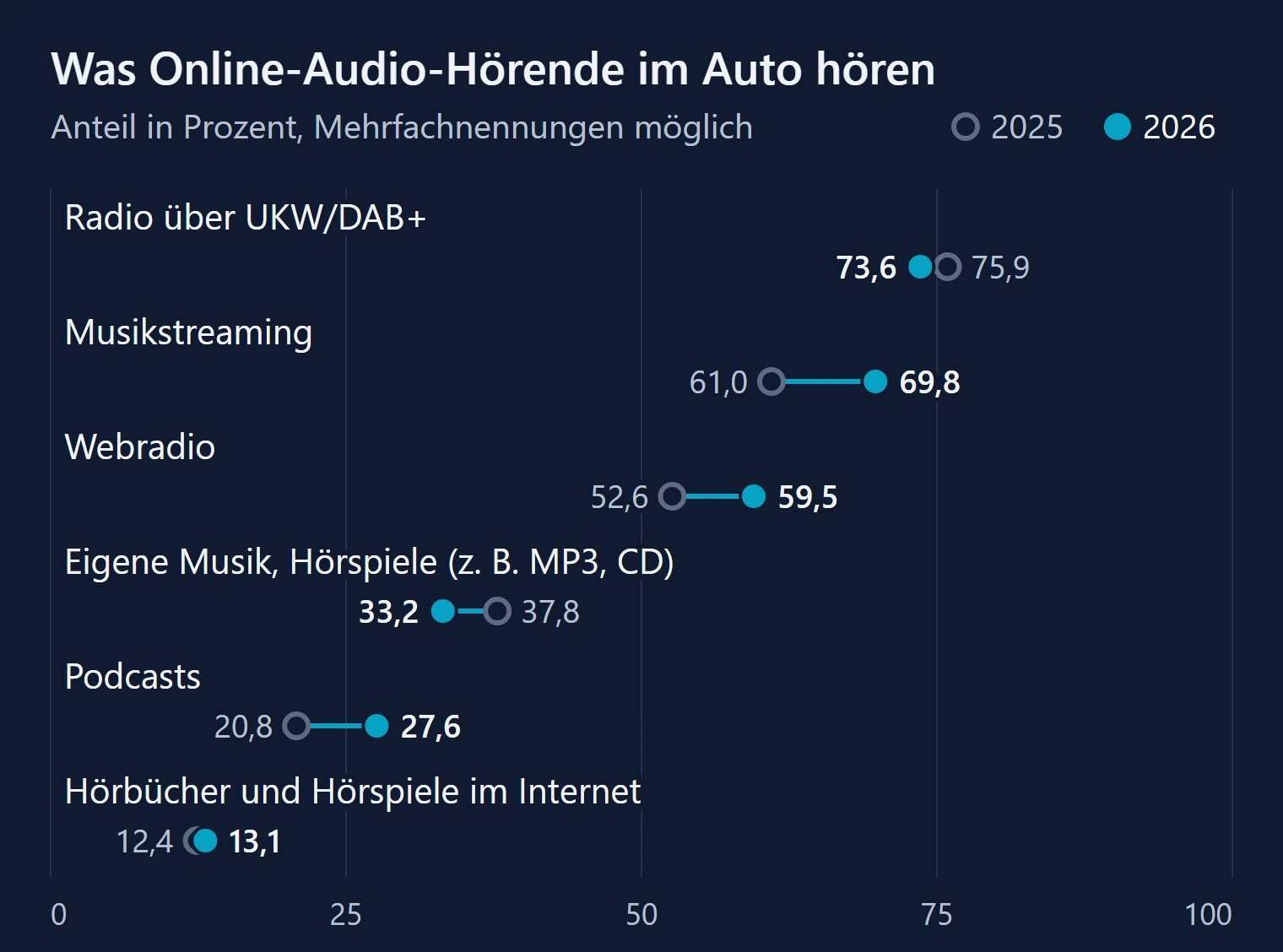
Radio via FM and DAB+ still leads in this group with 73.6 percent, but it has lost slightly compared with 2025. Web radio rose from 52.6 to 59.5 percent over the same period, and music streaming and podcasts grew just as strongly. Radio overall, that is via antenna or internet, even grew from 80.9 to 83.7 percent. Listeners remain loyal to radio; it just increasingly comes from the net.
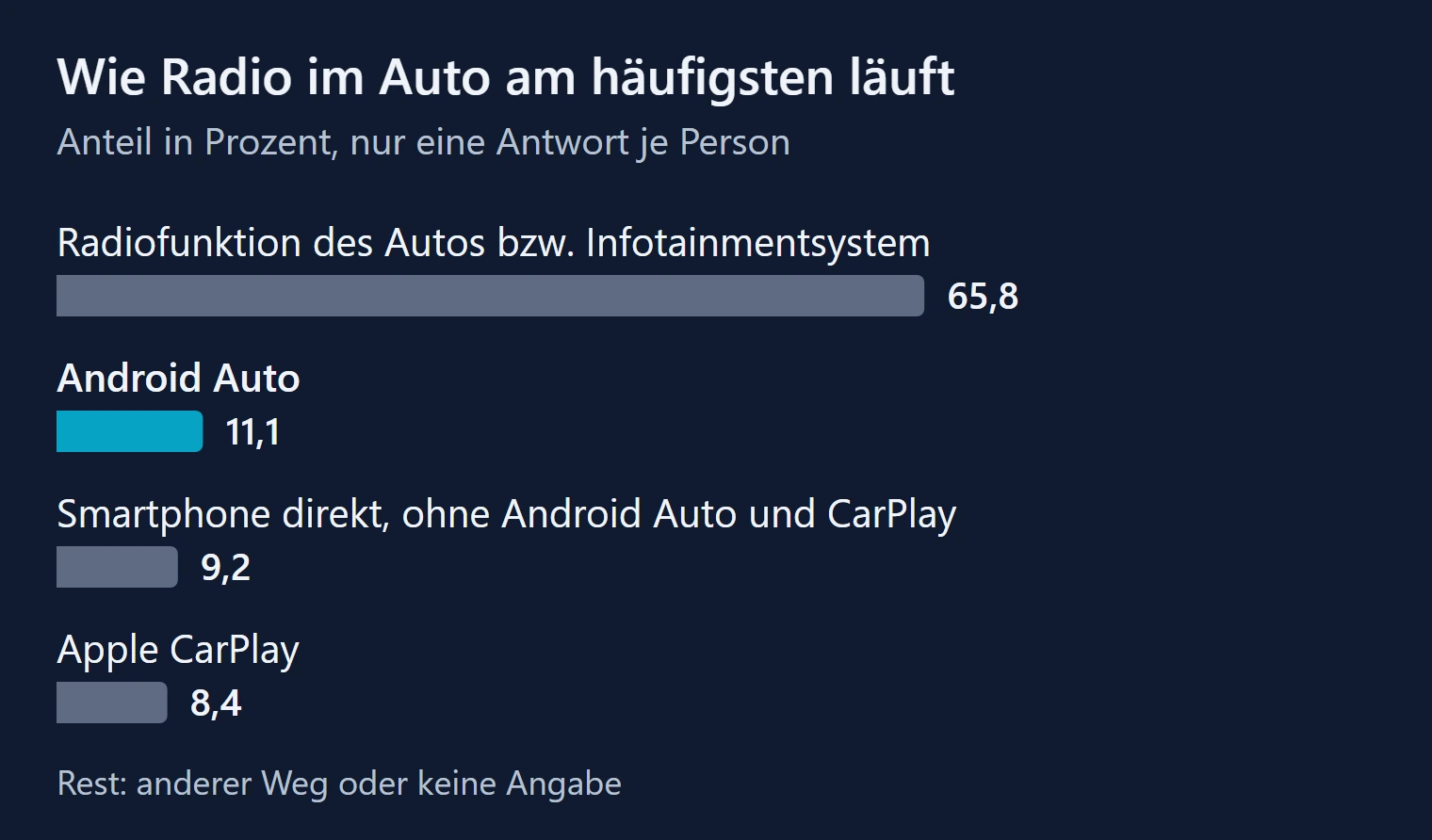
The built-in radio function is still the most common way. Android Auto, however, already ranks second at 11.1 percent, which is around 2.8 million people. Figures from the USA suggest that listening shifts with such systems: according to Edison Research, in the second quarter of 2025, AM/FM radio accounted for 62 percent of audio time in cars without CarPlay or Android Auto, but only 47 percent in cars with one of the two systems. This shows a correlation, but not a cause, and the US market is structured differently, with satellite radio playing a role there, for example.
Connection to the smartphone also matters when buying a car. In a McKinsey survey from 2024 of 30,000 respondents in 15 countries, 35 percent of combustion-engine buyers and 30 percent of electric-car buyers named a lack of CarPlay or Android Auto as a dealbreaker.
The Online-Audio-Monitor also identifies the weak spot: 95.4 percent find the radio section easily in the car’s radio function, but only 85.7 percent in Android Auto. And 49.2 percent of those who mainly listen to radio via Android Auto say they can start other audio offerings there faster than radio. A radio app therefore has to do one thing above all: your favorite station has to play with one tap or one sentence.
FM is shrinking, but not overnight
Germany has no nationwide switch-off date. The network is nevertheless getting thinner: MDR has announced that it will switch off ten more FM frequencies on 1 September 2026 in Saxony, Saxony-Anhalt and Thuringia. Schleswig-Holstein wants to end the parallel operation of FM and DAB+ by 2031. Norway was the first country to begin switching off FM, in 2017. That the path is not straight is shown by Switzerland: there, parliament postponed the end of FM again at the end of 2025.
The official successor to FM is DAB+. According to the Audio Trends 2026, 25 million people listen to radio via DAB+ within four weeks, web radio reaches more than 17 million, and more than a quarter of the population aged 14 and over has a DAB+ car radio. If you still have a pure FM car radio, you usually need an adapter for DAB+, which according to netzwelt costs around 20 to 40 euros. If your car or your radio supports Android Auto, you can access web radio without any additional device.
This is how SoundNode looks in Android Auto
- Android
- Free, no Premium needed
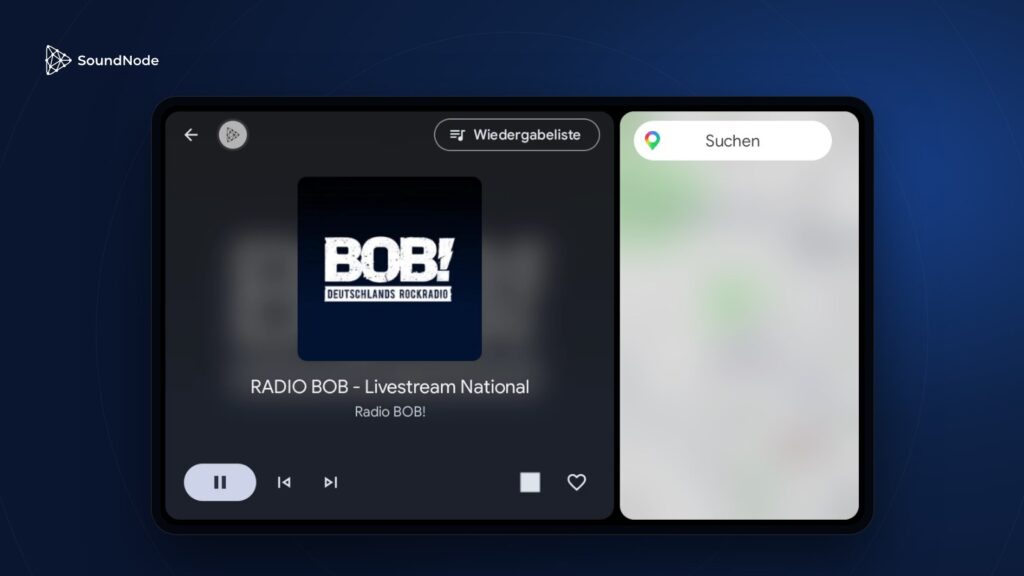
SoundNode appears as its own app on the car’s screen. The interface comes from Android Auto, so it is designed for use in the car and looks familiar in every model. On wide screens, navigation keeps running alongside.
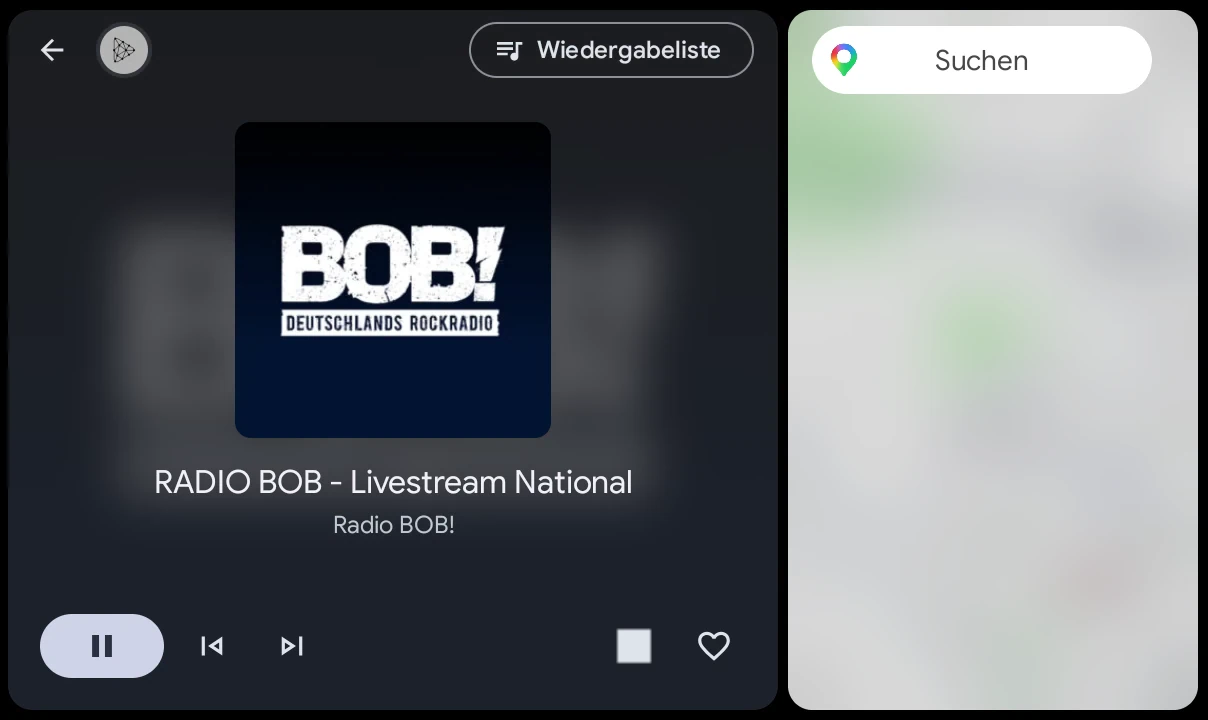
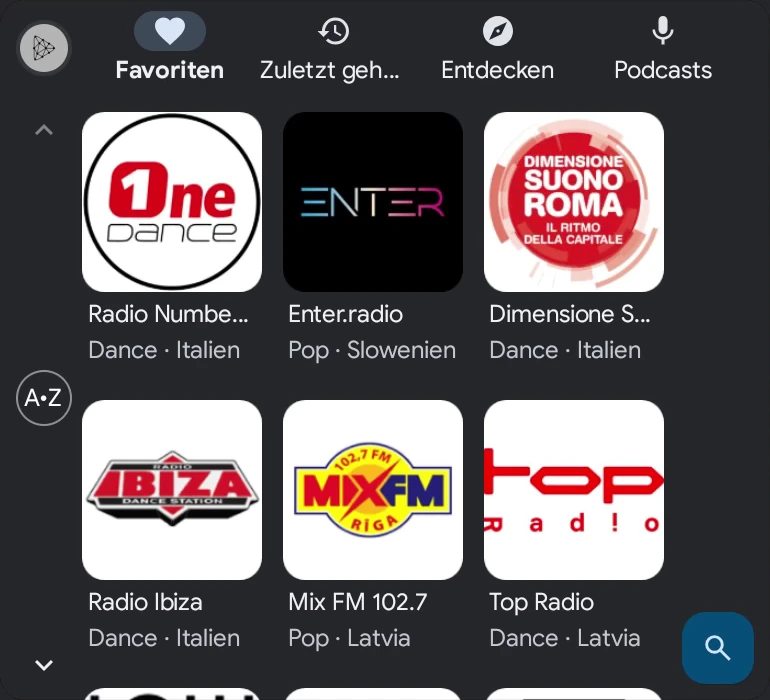
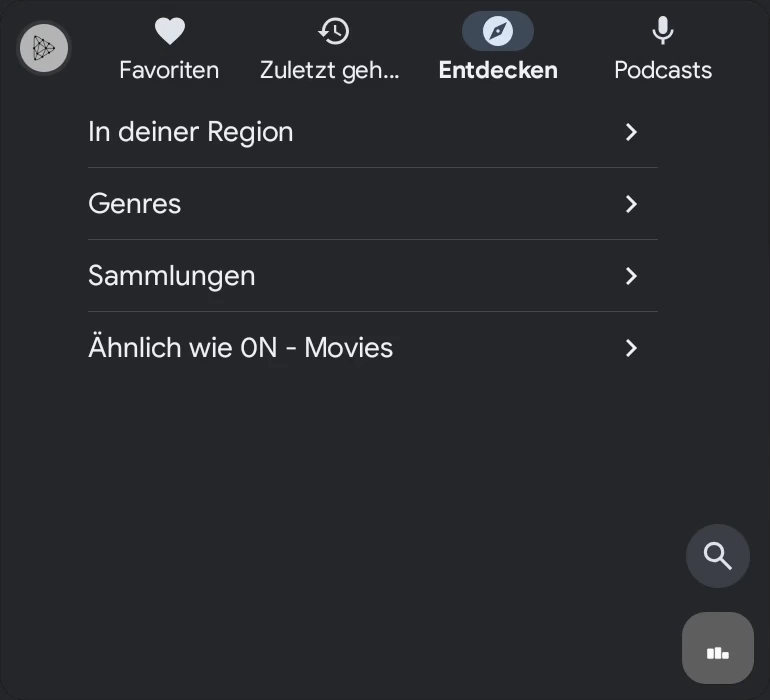
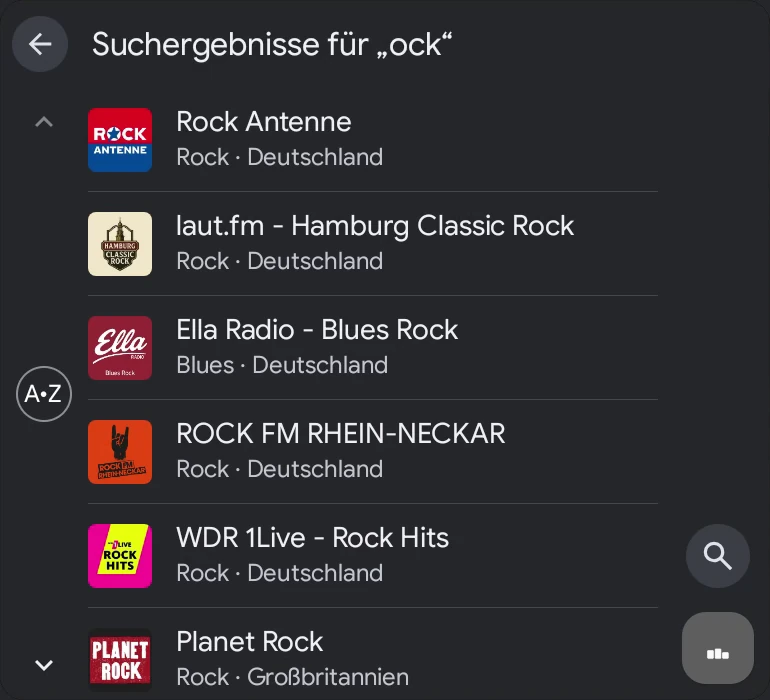
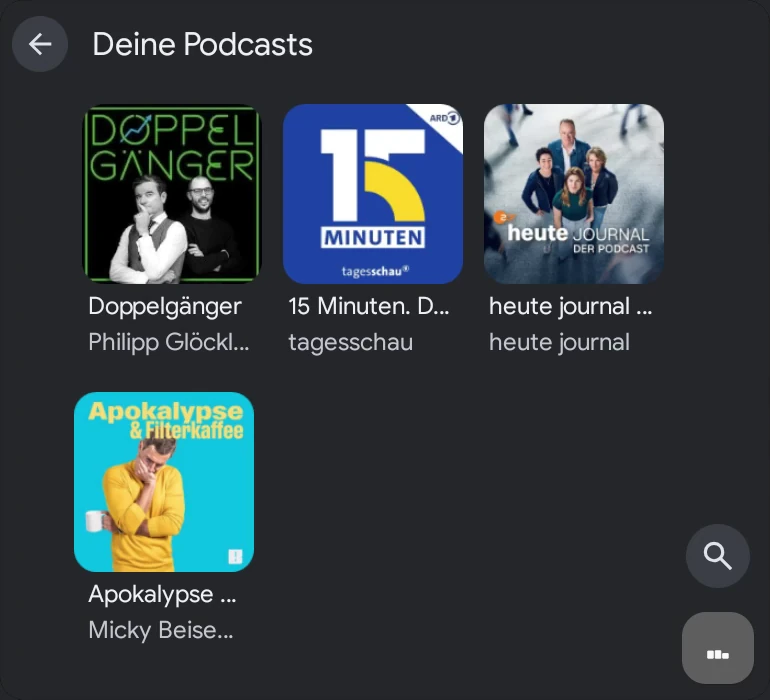
- Instantly there: Favorites and history appear in your order. You don’t have to open the app on your phone beforehand.
- By voice: „Play 1LIVE on SoundNode“, „Pause“ or „Next station“. While driving, this is the best way.
- Controls: Forward and back switch the station, including via the buttons on the steering wheel. The heart saves it as a favorite.
- Current track: If the station sends the track and artist, they appear on the screen.
- Podcasts: You carry on where you left off and can skip back 15 seconds or forward 30.
- No ads in the car: The app shows no advertising in Android Auto. You don’t need Premium for that.
26,900
Radio stations
130
Countries
17,000
Podcasts
48
Genres
FM and SoundNode compared
What FM can do better
- Runs without a smartphone and without internet
- Uses no data allowance
- Hardly any delay, which matters for live football, for example
- Traffic announcements can interrupt the programme
What SoundNode can do better
- Stations from all over the world, not just the ones your antenna happens to pick up
- Your station stays the same for the whole journey, as long as you have a connection
- Logo and current track on the screen
- Podcasts in the same menu, also preloaded
- Search and voice commands instead of station scanning
What you need and where the limits are
- Car: A car or aftermarket radio with Android Auto, connected by cable or wirelessly depending on the model.
- Smartphone: An Android phone with a current SoundNode app from Google Play. The Amazon version does not include Android Auto.
- iPhone: SoundNode is not yet available for Apple CarPlay.
- Data usage: A stream at 128 kbit/s needs about 58 MB per hour. At one hour a day on 22 days, that comes to roughly 1.3 GB per month. Depending on the station, it can be less or more.
- Dead zones: In the Bundesnetzagentur measurement week in May 2025, there was no network at 0.76 percent of the measurement points. On some routes it can be worse. If the stream drops out, SoundNode automatically tries to reconnect several times. In longer dead zones it will still fall silent, but podcast episodes downloaded in advance keep playing.
- Delay: Web radio usually runs a few seconds behind FM, which you will notice during live broadcasts.
- Traffic reports: A stream won’t interrupt by itself for traffic announcements. Navigation shows you the traffic situation.
- Station advertising: Adverts within the programme run just as they do on the radio.
Set up in three steps
- Install SoundNode from Google Play and save your favourite stations as favourites.
- Connect your smartphone to the car, by cable or wirelessly. Android Auto starts on the car’s screen.
- Open SoundNode in the Android Auto app menu or say, for example: “Play 1LIVE on SoundNode”.
Verdict: Can Android Auto replace FM?
For many journeys, yes. If you have a car with Android Auto, an Android smartphone and enough data allowance, SoundNode gives you more choice than any antenna could deliver, and you hardly need FM in everyday life anymore. It is not yet the case for everyone: without a network connection it stays silent, and older cars without a suitable screen are left out. You don’t have to choose, though. The radio stays in the car, and if you hit a dead zone or the battery runs low, FM is still just a tap away.
Sources
- Online-Audio-Monitor 2026: Report (PDF) and Key Facts (PDF), survey from 28.04. to 01.06.2026 by mindline media, n = 5,206
- die medienanstalten: Audio Trends 2026
- Google: The next generation of Android Auto is here, 12.05.2026
- Edison Research: Weekly Insights on CarPlay and Android Auto, 10.09.2025 (USA, Share of Ear)
- MacTechNews: Report on the McKinsey survey, 21.06.2024
- netzwelt: MDR switches off ten FM frequencies, 04.08.2026
- GIGA: UKW-Ende in Schleswig-Holstein, 01.07.2024
- SRF: SRG plans FM comeback, 11.12.2025
- VOA: Norway to End FM Radio Broadcasts, 14.01.2017
- dpa via ChannelPartner: Federal Network Agency mobile measurement week, 15.07.2025