Do you run an internet radio station and want to reach more listeners? With SoundNode, you can register your station for free. Afterwards it plays on the website and in the apps for Android, iPhone, Fire TV and Android TV. Here you can find out how this works and what you can do yourself to help listeners find you.
Why the listing is worth it
Internet radio reaches a large audience in Germany, and many listeners find it through platforms that bundle stations. Those who start internet radio on their smart TV via an app most often use an app with many stations.
38 M.
Web radio listeners in Germany
54 %
of the population aged 14 and over
31,1 %
stream web radio on your smart TV via an app with many stations
Source: Online-Audio-Monitor 2026. The value for smart TVs refers to people who use web radio there; multiple answers were possible.
Listed in four steps
- Open the form: Go to Submit station.
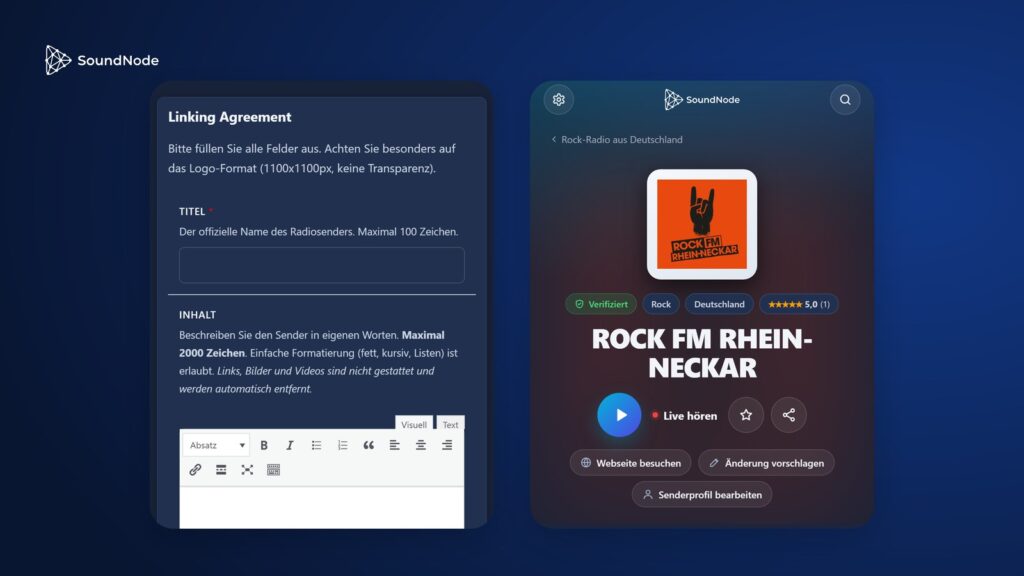
- Describe your station: Enter name, website, genre and country, describe your station in up to 2,000 characters and add your logo.
- Specify the stream: Enter the direct stream address and choose the format: MP3, AAC, OGG Vorbis, Opus, HLS, DASH or Shoutcast (PLS).
- Confirm: Add your contact details, choose an email address of your station domain and agree to the integration agreement.
Then confirm the link in the email, and your station is verified. We will check the listing and approve it.
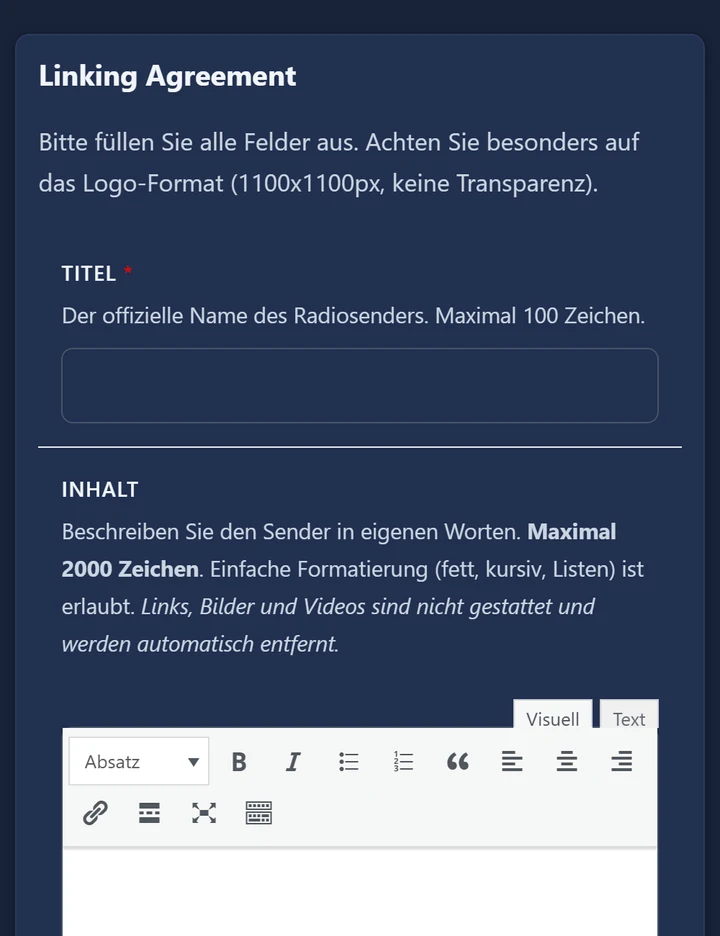
- Logo: Ideally square, 1100 × 1100 pixels, and without transparency. You can upload PNG, JPG, WebP and GIF files up to 10 MB; embed SVG via the logo address.
- Email for confirmation: You can choose info@, admin@, webmaster@, kontakt@ or postmaster@ of your domain, or a custom name in front of it.
- Costs and duration: The listing is free, and you can cancel the agreement at any time.
Is your station already in the directory?
First search for your name, as many stations are already on SoundNode. On the station page you will then find “Is this your station? Verify now”. We send an email to an address on the domain that is listed as the station’s website, and clicking the link is all it takes. If no website is listed yet, you can provide it to us there via a short form, and we will get back to you.
You maintain this yourself as a verified operator
Your station will then carry the “Verified” badge. Via “Edit station profile” you will receive an editing link at your domain address, which is valid for 24 hours. With it, you can change:
- Station name and description
- Logo and stream address
- Genre and country
- Slogan, reception options, broadcast area and phone
- Links to your social networks
Your own description will remain as you wrote it. We review websites on a different domain beforehand.
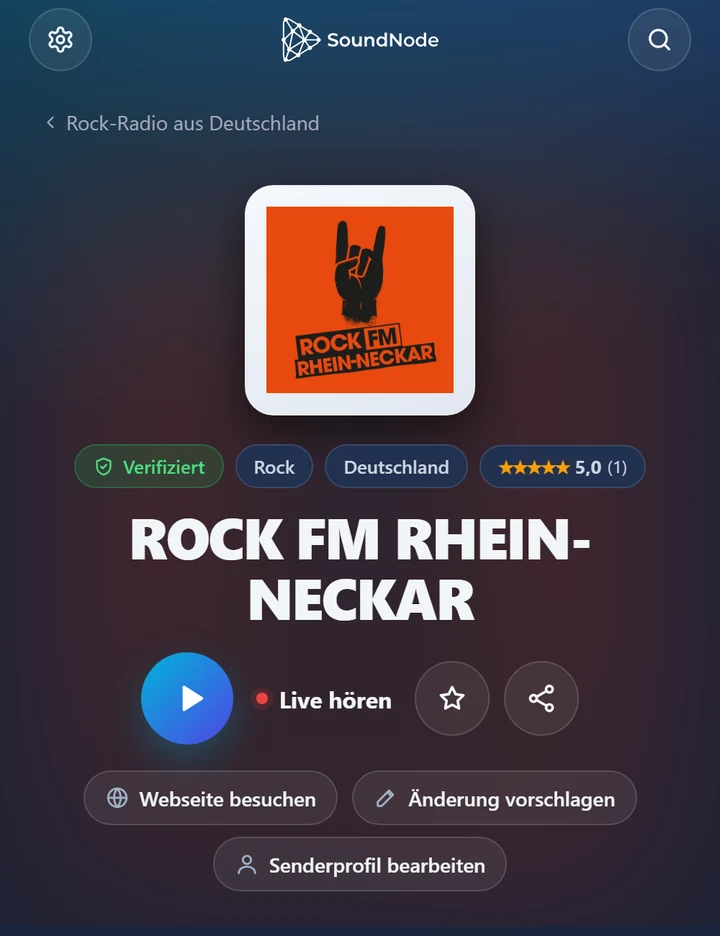
How listeners find you
- Genre and country: Many listeners browse exactly by these. Choose both as suitably as possible.
- Track in the stream: If your stream sends the current track information or you store a now-playing feed, we show the current track. This also helps listeners find you in the artist search.
- Similar stations: On other station pages, you appear as a recommendation when artists, listening habits or genre match.
- Popularity: Ratings count the most, followed by stream starts, clicks to your website and page views. Ask your listeners for a rating and link to your station page.
- Recommendations: For listeners, region, taste, number of listeners and freshness also count.
- Five languages: Your station page appears in German, English, Spanish, French and Portuguese, and is marked up for search engines as a radio station.
Your checklist
- Website listed on your own domain
- Logo at 1100 × 1100 pixels without transparency
- Direct stream address and suitable format
- Current tracks in the stream or as a Now Playing feed
- Your own description of what makes your station special
- Genre, country and broadcast area maintained
- Station page linked on your website and on social networks
Sources
- Online Audio Monitor 2026: Key Facts (PDF) and Report (PDF), page 78
Add your station
Free and directly via the form. If your station is already listed, verify it on its station page.